Create your App Store Connect API key
Generate the key that lets Releasely upload your builds and manage your app on the App Store.
Now that your membership is active, create the App Store Connect API key. It's what lets Releasely connect to your Apple account to upload your builds and manage your app, without you having to share your password.
By the end of this page you'll have three items to keep: the .p8 file, the Key ID, and
the Issuer ID. These are exactly the three pieces of information Releasely will ask you for next.
Key role: App Manager
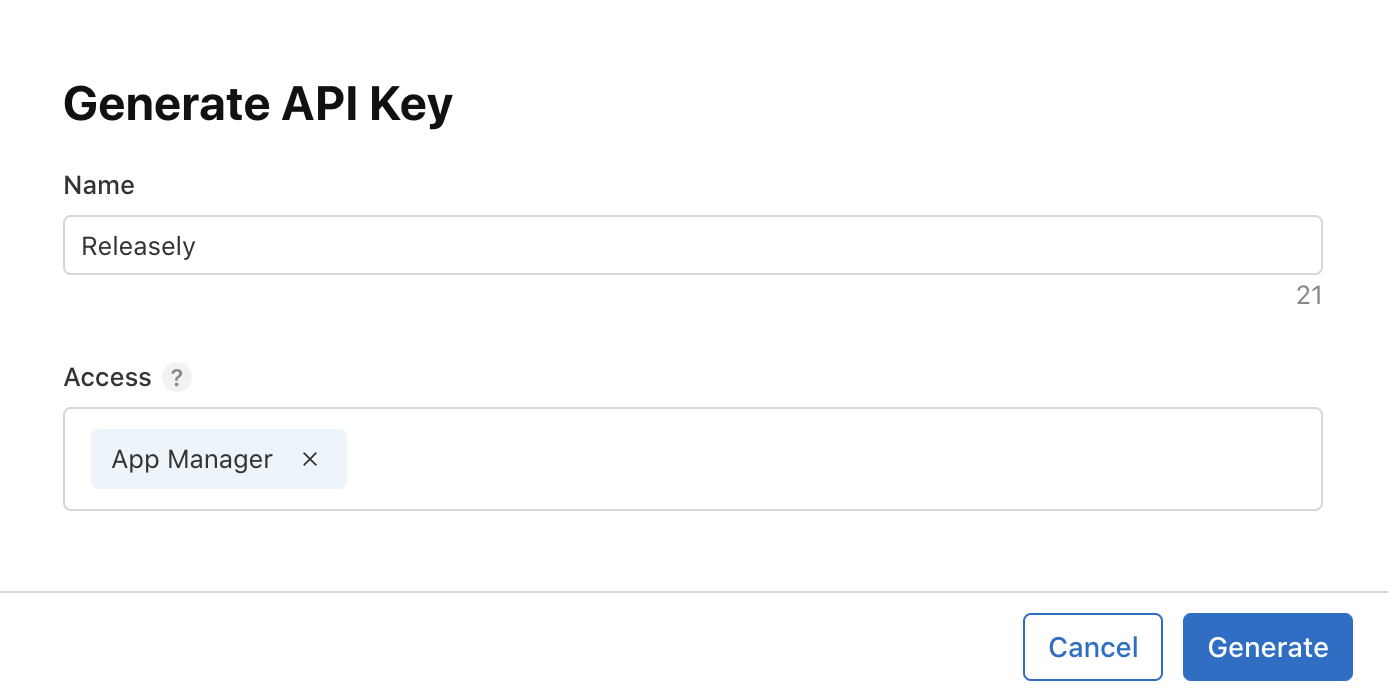
When creating the key, choose the App Manager access level. That's the level needed to upload builds and manage the app. A weaker access level would block uploads later.
Create the key
Open the App Store Connect API section
Go to appstoreconnect.apple.com, open Users and Access, then the Integrations tab. In the left menu, select App Store Connect API.
Request access (first time only)
The very first time, App Store Connect says that permission is required. Click Request Access, tick the box accepting the API terms of use, then click Submit.
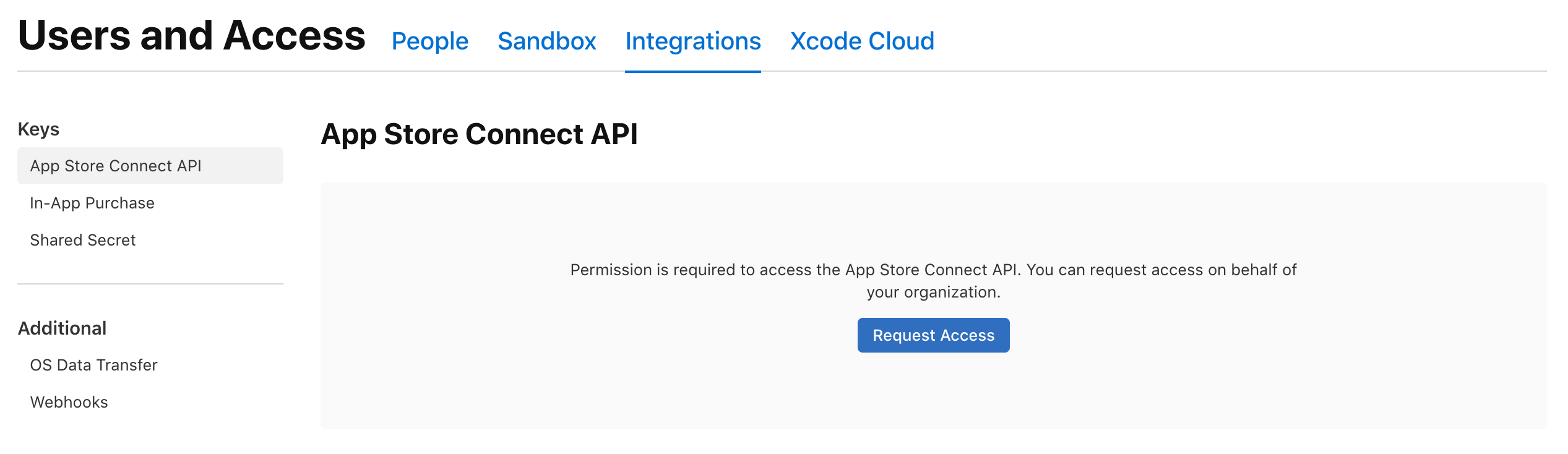
Once Apple approves the request (usually quickly), the Generate API Key button appears. This step only happens once.
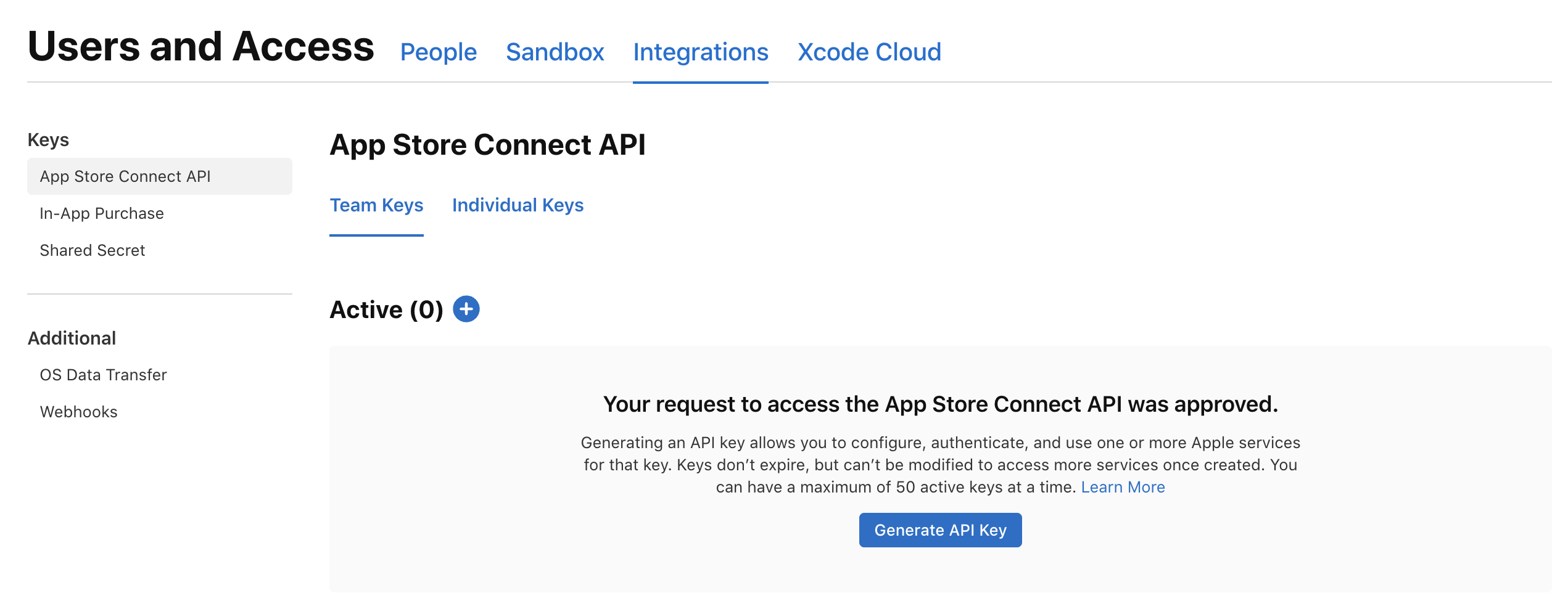
Generate the key
Click Generate API Key, give it a clear name (for example Releasely), choose the App
Manager access level, then confirm.
Collect your three items
- Issuer ID: shown above the keys table.
- Key ID: in the row of the key you just created.
.p8file: click Download to save it.
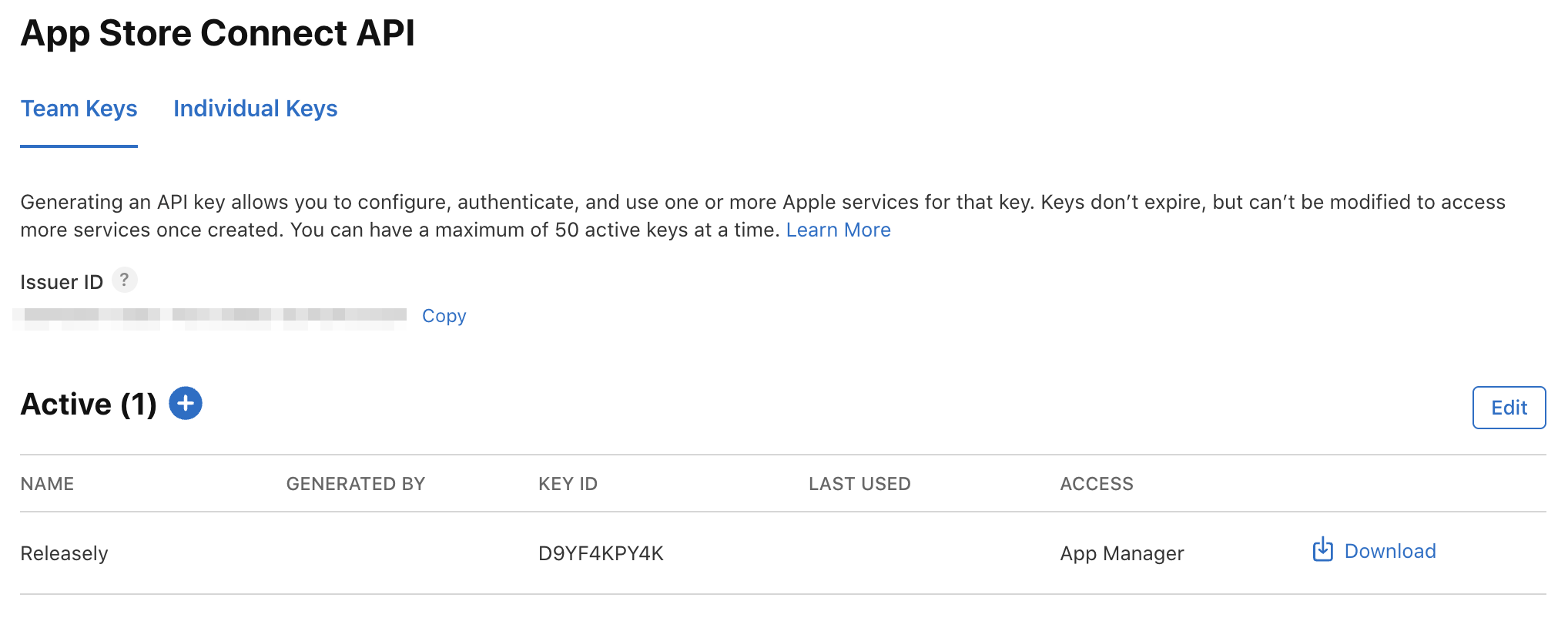
The .p8 file downloads only once
Apple only lets you download the .p8 once. Store it somewhere safe. If you lose it, revoke
the key and create a new one.
Keep your values handy
A scratchpad to keep your identifiers handy while you follow this guide.
Scratchpad: App Store Connect key
Available any time via the
What's next?
You have your three items, and your app is already registered on Apple's side. Time to move into Releasely.